Play tabs the way
they should feel.
Coda Guitar Tabs loads Guitar Pro files, Rocksmith custom songs, and chord charts, then scrolls them in sync with your audio — with live lyrics, coloured strings, and a key-shift tool so you can play in any tuning.
$1.99 · 7-day free trial · available now on Microsoft Store
A player and a maker
Coda is two apps that work together. Play tabs with the player, or build your own custom song packages with the Maker.
Coda Guitar Tabs Live
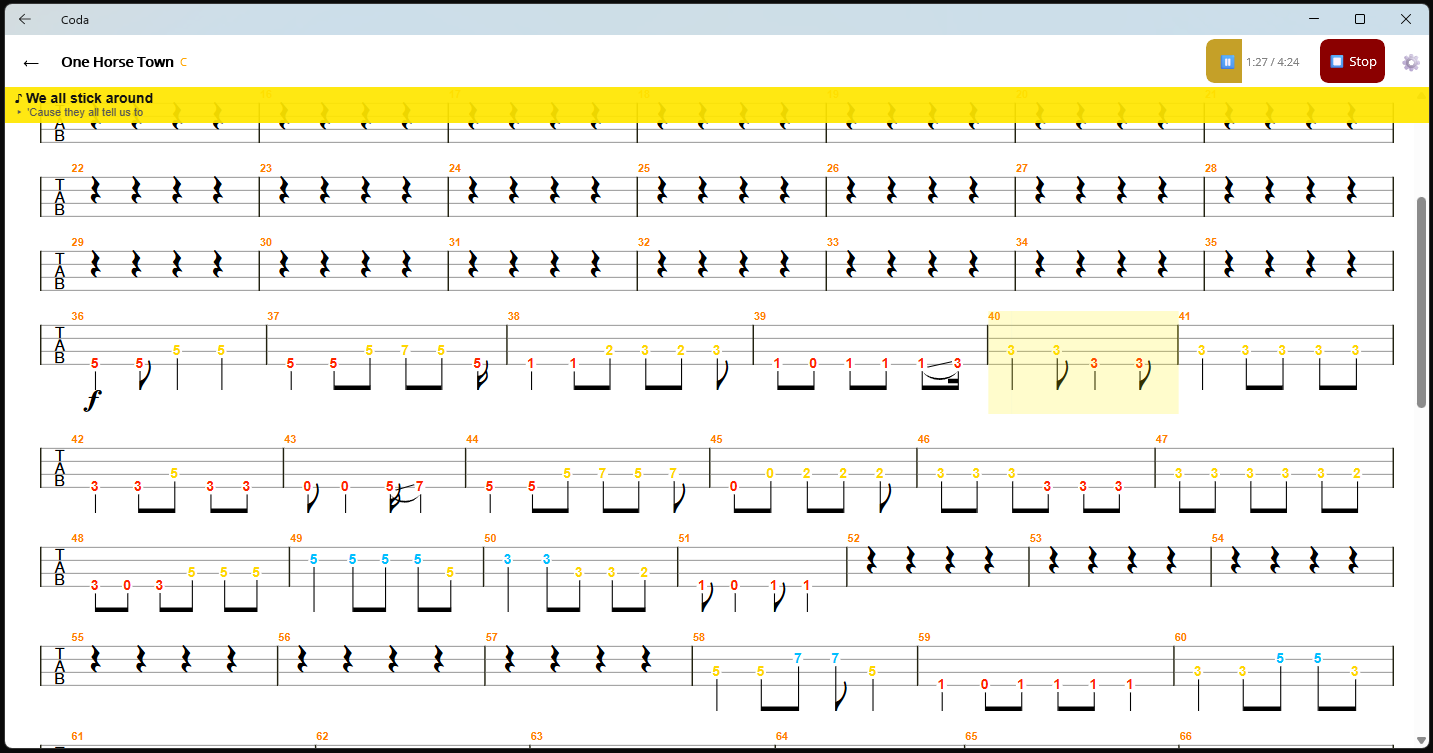
The tab player. Load Guitar Pro files or Rocksmith custom song packages (PSARC), hit play, and Coda scrolls the tab and shows lyrics in time with the audio. String colours, flip strings, zoom, key shift — everything you need to follow along and learn.
Coda Maker In Certification
The authoring tool. Import a Guitar Pro file, Guitar Pro SVG export, Rocksmith PSARC, or a
text-based chord chart — then add audio, tap-align lyrics word by word,
and export a self-contained .coda package for Coda Guitar Tabs. Windows only.
Everything on screen, nothing in the way
Tab notation, sheet music, lyrics, and playback position — all visible at once. Click any screenshot to enlarge.
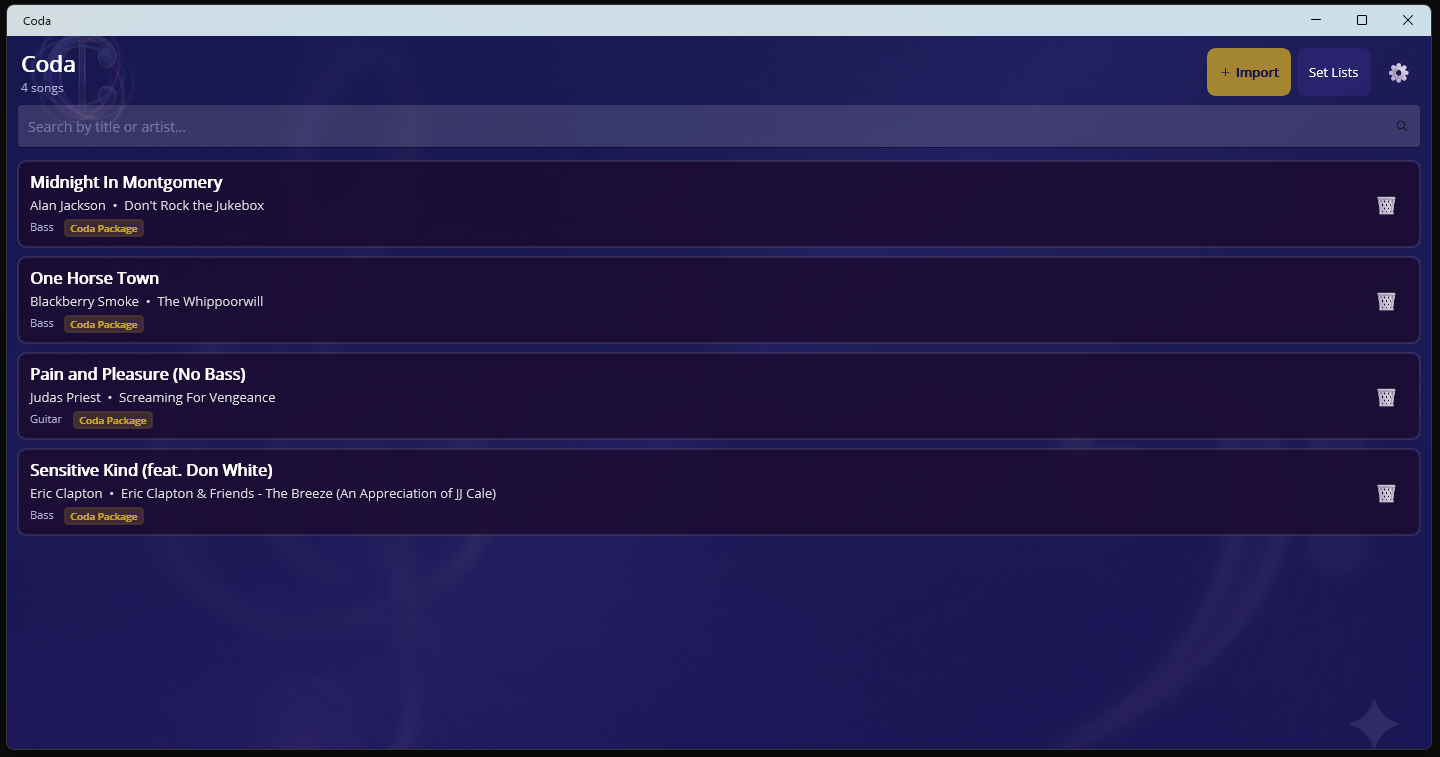
Song library — browse your collection
Tab view — auto-scroll with live lyrics
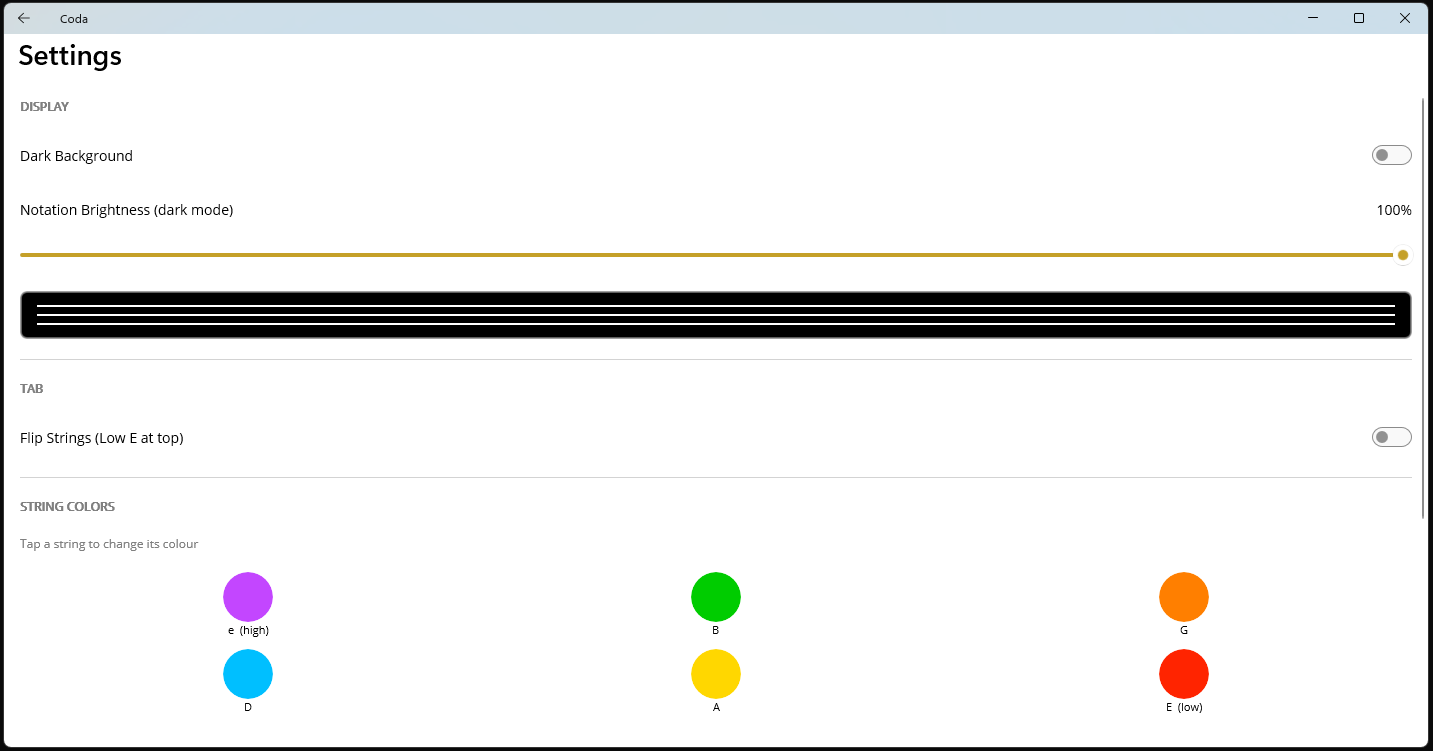
Settings — string colours, dark mode, flip
Build your own song packages
Import a tab source, add audio, tap-align lyrics, preview the bass tab, then export a single file that opens in Coda Guitar Tabs.
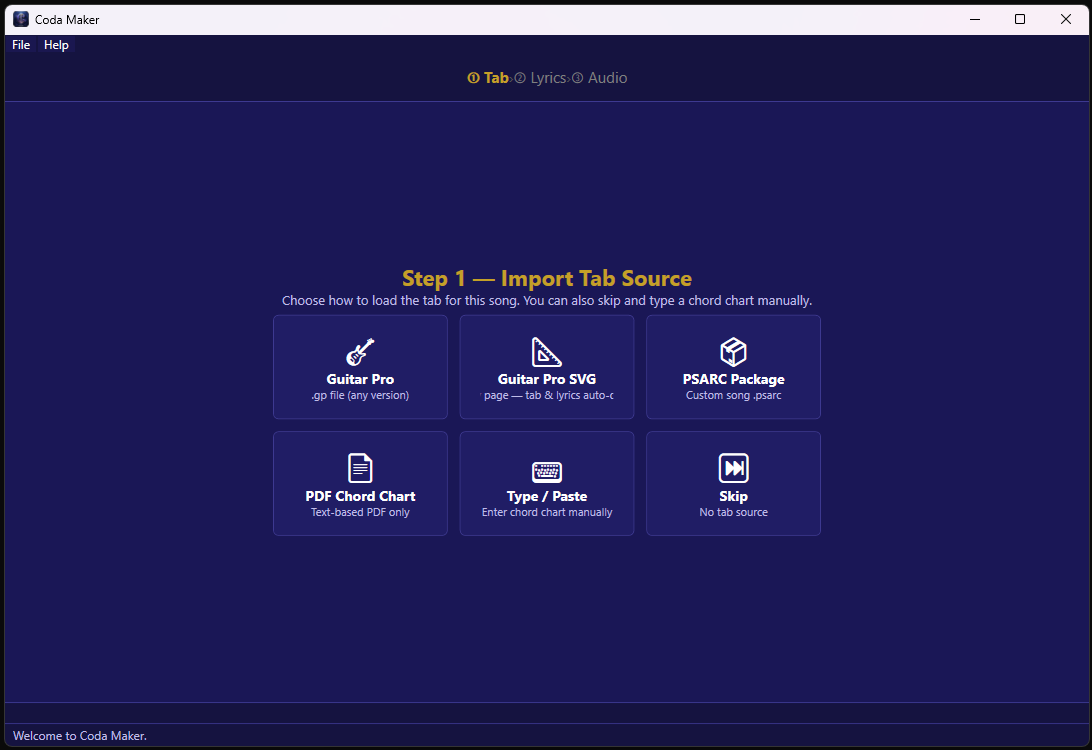
Step 1 — choose your tab source
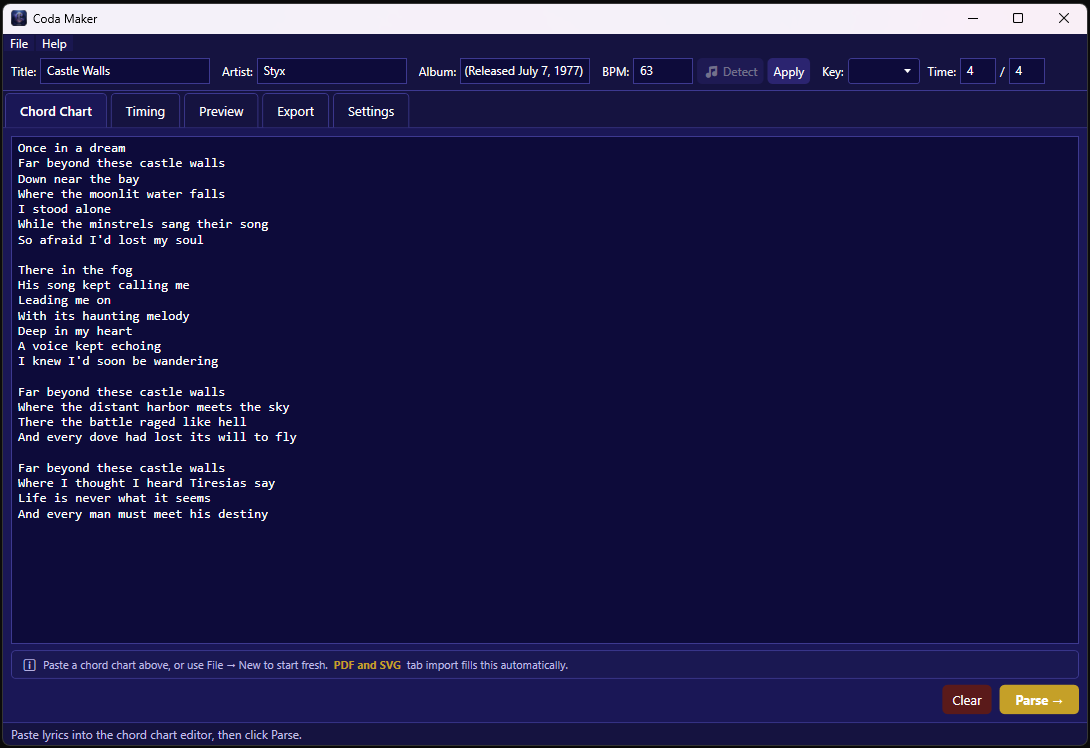
Chord chart editor with auto-parse
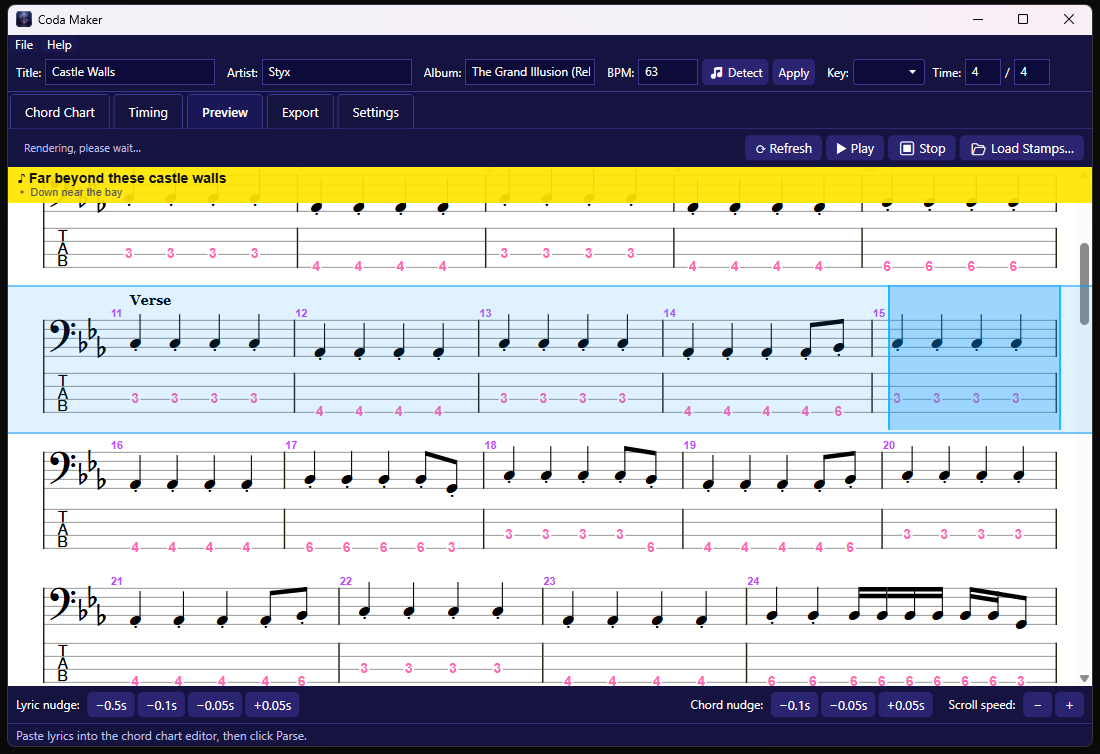
Live bass tab preview with section labels
Built for guitarists who gig
Guitar Pro Support
Open any .gp file regardless of version. Full tab notation with sheet music rendered via AlphaTab — the same engine used by Guitar Pro itself.
Rocksmith Custom Songs
Load Rocksmith 2014 PSARC custom song packages. Tab, lyrics, and embedded audio all extracted automatically — no Rocksmith installation required.
Live Word-by-Word Lyrics
Lyrics display in a banner above the tab, highlighted word by word as the song plays. Never lose your place in the verse again.
Auto-Scroll & Snap
The tab scrolls automatically with the audio at precisely the right speed. Adjust scroll position and speed per song so the current bar stays exactly where you want it.
Coloured Strings
Each string gets its own colour, fully customisable. Instantly see which string to hit without counting lines — especially useful for bass players and beginners.
Key Shift
Shift the tab up or down by semitones so you can play along with a capo, in a different tuning, or to match a singer's key — without editing the file.
Flip Strings
Prefer low E at the top? Toggle flip mode and the string order reverses instantly. Your preference is saved per song.
Dark & Light Mode
Full dark background for low-light gig situations, or light mode for readability in bright rooms. Notation brightness is adjustable independently.
Zoom
Scale the notation up or down to suit your screen size and reading distance — from a tablet flat on a music stand to a large monitor across the room.
Import anything. Align everything.
Coda Maker is a three-step workflow: import your tab source, align lyrics to audio, export a package. It's designed for musicians who want their own curated library, not just whatever's on the internet.
Import Tab Source
Guitar Pro (.gp), Guitar Pro SVG export, Rocksmith PSARC, PDF chord chart, or type/paste a chord chart manually.
Align Lyrics & Audio
Load an MP3 or WAV, then tap along to each word as it's sung. Coda Maker applies −0.5 s reaction correction and records the timestamp automatically.
Preview & Export
Preview the full bass tab with section labels in real time, fine-nudge chord and lyric timing, then export a .coda package file ready to open in Coda Guitar Tabs.
Supported Import Formats
Try free for 7 days. Keep it for $1.99.
Coda Guitar Tabs is available now on the Microsoft Store. Download, try it free for a week, and buy in-app when you're ready. No account needed.
Coda Guitar Tabs · one-time purchase · 7-day free trial included
- Guitar Pro file support
- Rocksmith PSARC support
- Auto-scroll tab & notation
- Word-by-word live lyrics
- Coloured strings (customisable)
- Flip strings toggle
- Key shift (semitones)
- Dark & light mode
- Zoom controls
- Scroll speed & position
- Audio lag correction
- Windows, iPhone, Android
iPhone beta via TestFlight — contact us to join. Android coming soon.
Want to create your own song packages?
Coda Maker is the companion desktop authoring tool — import Guitar Pro files or Rocksmith custom songs, align lyrics, and export ready-to-play .tipkg packages.
Own the full suite for under $12 — Player at $1.99 + Maker at $9.99.
Get Coda Maker on Microsoft Store →Common questions
What file formats does Coda Guitar Tabs support?
Coda opens Guitar Pro files (.gp, any version), Rocksmith 2014 custom song packages (.psarc), and .coda packages created by Coda Maker. Future updates will add more formats.
Do I need Rocksmith installed to open PSARC files?
No. Coda reads PSARC files directly — no Rocksmith installation, Steam account, or DLC purchase required. You need to own the custom song file itself.
How much does Coda Maker cost?
Coda Maker is a paid Windows app for building .coda packages. It is currently in Microsoft Store certification — pricing will be confirmed when it goes live.
What platforms does Coda Guitar Tabs run on?
Windows (available now on the Microsoft Store), iPhone (TestFlight beta — contact us to join), and Android (coming soon). Coda Maker is Windows only.
How does the 7-day free trial work?
After downloading from the Microsoft Store you get 7 full days of unrestricted access. At the end of the trial you're prompted to purchase for $1.99 — a one-time payment, not a subscription.
Can I use Coda without audio?
Yes. Load a tab without audio and use manual scroll, or set your own scroll speed. Audio is needed only for the lyric alignment feature in Coda Maker.
Is my purchase locked to one device?
Microsoft Store purchases follow standard Windows licensing — you can install on up to 10 devices signed in to the same Microsoft account.
Where can I find the iPhone TestFlight beta?
The iOS build is currently in TestFlight. Contact us via the link on this page and we'll add you to the beta.